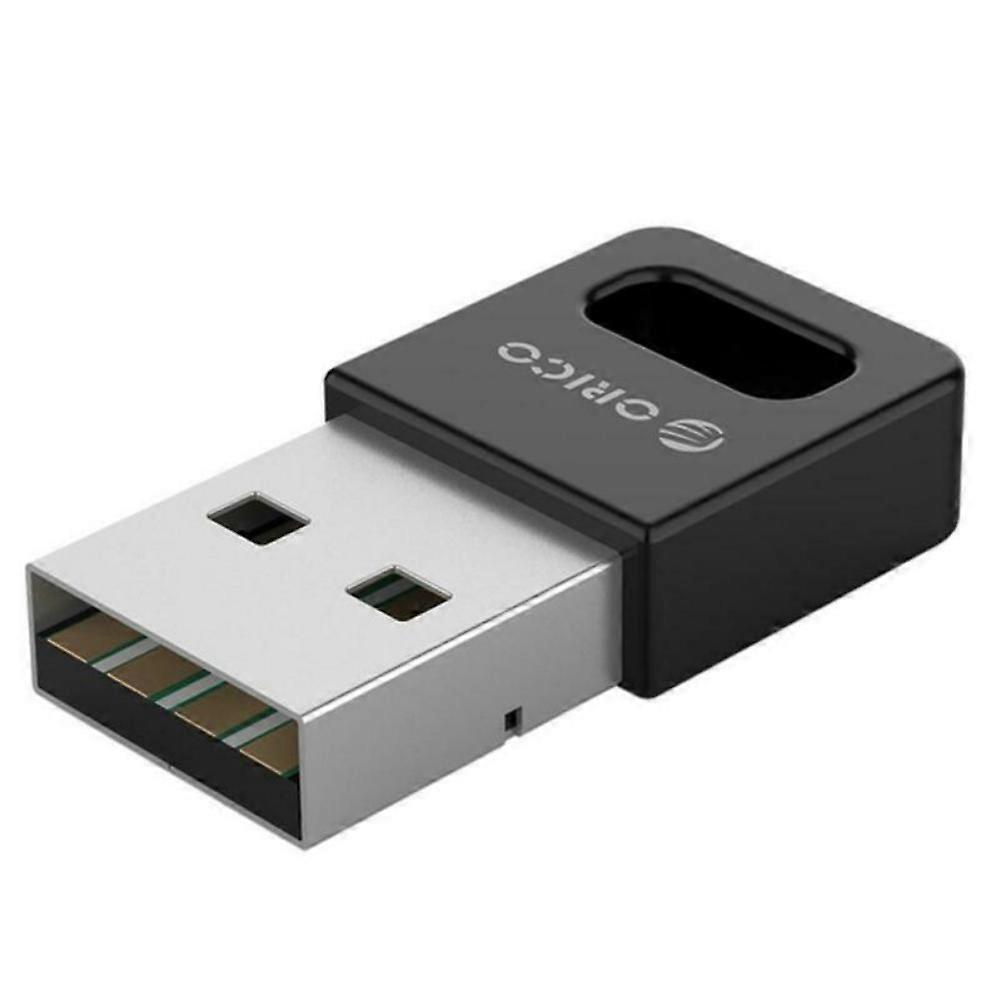
Wireless Bluetooth Adapter USB PC External Receiver for Bluetooth Speaker, Keyboard, Mouse, Game Controller

17,95 €
spedizione GRATUITA

Wireless Bluetooth Adapter USB PC External Receiver for Bluetooth Speaker, Keyboard, Mouse, Game Controller

  • Marchio: Unbranded
Venduto da:

Wireless Bluetooth Adapter USB PC External Receiver for Bluetooth Speaker, Keyboard, Mouse, Game Controller

  • Marchio: Unbranded

17,95 €

Economizzare 11,00 € (37%)

Prezzo di vendita consigliato

28,95 €
Disponibile
spedizione GRATUITA

Politica di reso a 14 giorni

Venduto da:

17,95 €

Economizzare 11,00 € (37%)

Prezzo di vendita consigliato

28,95 €
Disponibile
spedizione GRATUITA

Politica di reso a 14 giorni

Metodi di pagamento:

Descrizione

Wireless Bluetooth Adapter USB PC External Receiver for Bluetooth Speaker, Keyboard, Mouse, Game Controller

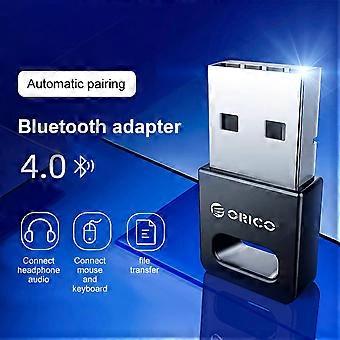
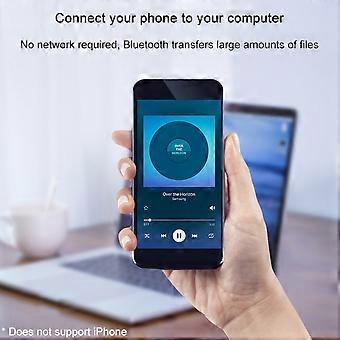
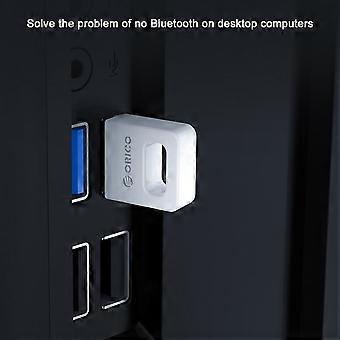
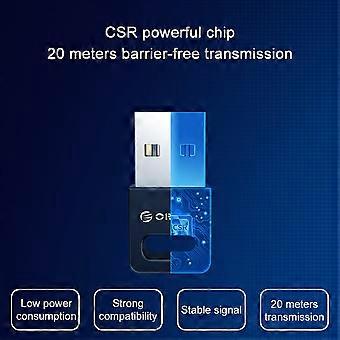
Description: Color: Black Interface: USB TYPE-A interface Product material: ABS material Chip: CSR8510 chip specification: Bluetooth 4.0 specifications Transmission rate: 3Mbps Transmission distance: ≤ 20m (more accessible transmission effect within 10m) User Guide: 1. Insert the Bluetooth adapter into the computer's USB interface, and download the driver on the Orico official website, decompression, run Setup.exe for installation. 2. The installation process will the window prompt selection, open the search mode, SCMS-T is enabled, the type is selected according to the computer type, then click Next until it is completed. If the installation process 360 and other related management programs are prompted to write to the registry, please select Allow. 3. After driving the installation, double-click the computer (my computer) to open my Bluetooth device, select Add Device - All, double-click the searchable Bluetooth headset device, automatically start pairing, if you have prompted "Bluetooth Password", general 0000 (Some passwords depending on the Bluetooth headset will be different, some are 8888, or 1234, etc., can view the manual of the device). 4. For the first time, you need to enter the Orico Bluetooth headset into the pairing mode. General Bluetooth headphones enter the pairing mode: In the shutdown state, press the boot button to do not let go, press the indicator light of the 5 seconds or so, if it is red, the state is released, this is to enter the search mode (some headphones Entering the pairing mode is to hold the volume + and volume on the Bluetooth headset. For details, please refer to the Orico Headphone Manual), the computer can search this Bluetooth headset. 5. After connecting to the headset, it will generally automatically switch to the Bluetooth output. If the system does not automatically switch to Bluetooth audio output, go to the lower right corner sound icon right-play device, and set the Bluetooth headset to default output (under XP system) to start-control panel-sound and audio-audio settings). (The player sound that has been opened under the XP system will not switch to Bluetooth immediately, you need to exit the player, and turn it on to the Bluetooth output.). To implement a call function, set the default input to Bluetooth in recording (recording). Package Included: 1 x Desktop Notebook Bluetooth Receiver With enhanced drive, do not install the drive/tablet can only transfer files, install the full drive computer to connect to the Bluetooth headset listening to songs. Solve a desktop computer without Bluetooth issues, ordinary desktop computer generally does not have Bluetooth functionality. Computer connection wireless mouse and mouse response is sensitive and no delay, the office is freer. Mobile phone connection computer, no network, Bluetooth transfer a lot of files. Bluetooth automatic compatibility, WIN8 / WIN10 system is automatically compatible with Bluetooth 4.1 / 4.2 / 5.0, Win8 and above, etc.
  • ID Fruugo: 436089158-914279837
  • EAN: 9778424774234

Informazioni sulla sicurezza del prodotto

Si prega di consultare le informazioni sulla sicurezza del prodotto specifiche per questo prodotto descritte di seguito

Le seguenti informazioni sono fornite dal rivenditore terzo indipendente che vende questo prodotto.

Avvertenze di sicurezza: Warning to keep away from water to prevent electric shocks.
Ingredienti: Other

Consegne e Resi

Spedito entro 3 giorni

  • STANDARD: GRATIS - Consegna tra mar 13 gennaio 2026–mer 21 gennaio 2026 - GRATIS

Spedizione da Cina.

Facciamo del nostro meglio per assicurare che i prodotti che ordini vengano consegnati integralmente e secondo le tue indicazioni. Tuttavia, nel caso dovessi ricevere un ordine incompleto, oppure articoli differenti rispetto a quelli che hai ordinato, o se c'è qualche altro motivo per il quale non sei soddisfatto dell'ordine, puoi effettuare il reso dell'ordine, o qualsiasi prodotto incluso nell'ordine e ricevere un rimborso completo per gli articoli. Visualizza la politica di reso completa

Dettagli sulla conformità del prodotto

Si prega di consultare le informazioni di conformità specifiche per questo prodotto descritte di seguito.

Le seguenti informazioni sono fornite dal rivenditore terzo indipendente che vende questo prodotto.

Produttore:
Le seguenti informazioni sono i dati di contatto del produttore del prodotto rilevante venduto su Fruugo.

  • Yang Yue
  • Lixian Penghui Trading Co., Ltd.
  • Group 5,Renhe Village
  • Changde City
  • CN
  • 415500
  • susuruanruan@outlook.com
  • +1(319)277-0024

Persona responsabile nell'UE:
Le seguenti informazioni sono informazioni dei contatto della persona responsabile nell'UE. La persona responsabile è l'operatore economico designato con sede nell'UE, responsabile degli obblighi di conformità relativi al prodotto in questione venduto nell'Unione Europea.

  • eVatmaster Consulting GmbH
  • eVatmaster Consulting GmbH
  • Raiffeisen Street2 B1l
  • Rodgau
  • DE
  • 63110
  • contact@evatmaster.com
  • +49 61062699873