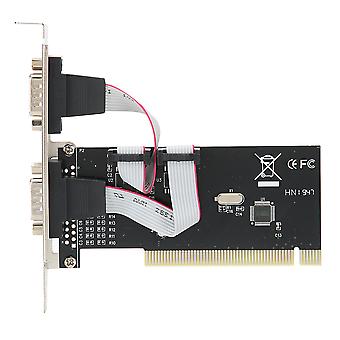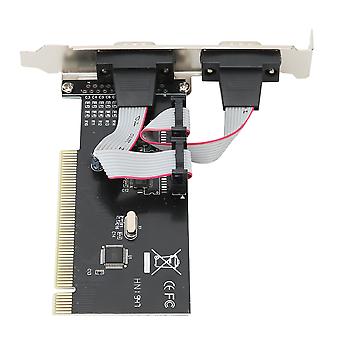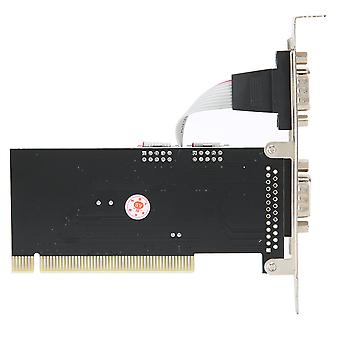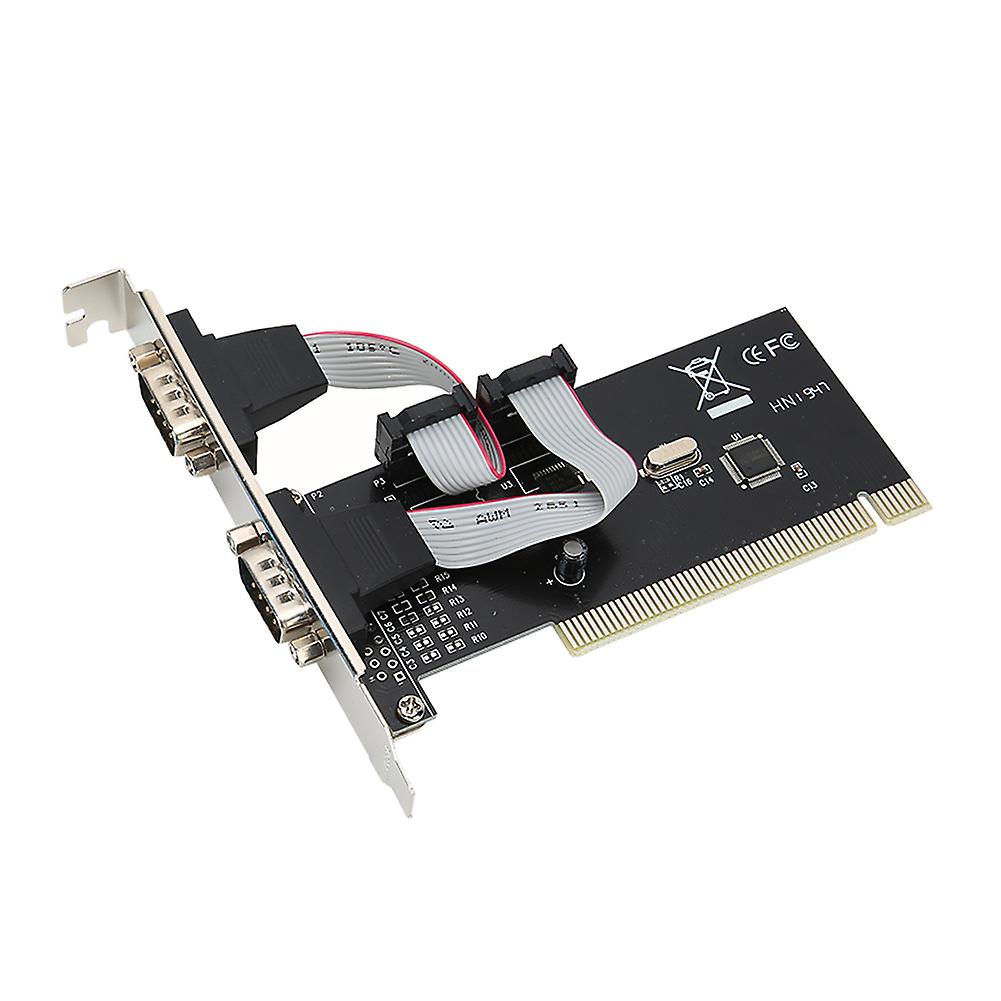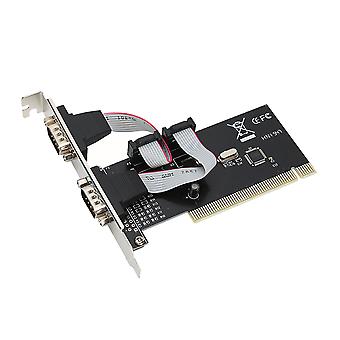
PCI to Dual Serial DB9 RS232 RS‑232 2 Port Extension Adapter Card for Desktops

14,62 €
spedizione GRATUITA

PCI to Dual Serial DB9 RS232 RS‑232 2 Port Extension Adapter Card for Desktops

  • Marchio: Unbranded
Venduto da:

PCI to Dual Serial DB9 RS232 RS‑232 2 Port Extension Adapter Card for Desktops

  • Marchio: Unbranded

14,62 €

Economizzare 11,68 € (44%)

Prezzo di vendita consigliato

26,30 €
Disponibile
spedizione GRATUITA

Politica di reso a 14 giorni

Venduto da:

14,62 €

Economizzare 11,68 € (44%)

Prezzo di vendita consigliato

26,30 €
Disponibile
spedizione GRATUITA

Politica di reso a 14 giorni

Accettiamo i seguenti metodi di pagamento

Descrizione

PCI to Dual Serial DB9 RS232 RS‑232 2 Port Extension Adapter Card for Desktops

Features 1、Compliant with PCI 2.1 Specification, support 32-bit PCI bus. Plug and play, automatic allocation of IRQ and I / O address. 2、One host can support multiple multi-serial card. Data bit: 4, 5, 6, 7, 8 bytes. 3、Parity bit : NONE EVEN OLD SPACE MARK. Stop bit : 1, 1.5, 2. 4、Flow control: None, hardware, Xon / Xoff. Support WINDOWS 2000/2003 / XP operating system. 5、The maximum data transfer rate is up to 1M / S. RoHS compliant. Specification Features: Compliant with PCI 2.1 Specification, support 32-bit PCI bus. One host can support multiple multi-serial card. Data bit: 4, 5, 6, 7, 8 bytes. Parity bit : NONE EVEN OLD SPACE MARK. Stop bit : 1, 1.5, 2. Flow control: None, hardware, Xon / Xoff. Support WINDOWS 2000/2003 / XP operating system. The maximum data transfer rate is up to 1M / S. RoHS compliant. Specifications: Color: Shown as the pictures Package weight: 110g Instruction: Install a PCI to R232 expansion card on your computer: 1. Turn off the computer and the devices connected to the computer. 2. Open the chassis cover and insert the card into the PCI slot that is not in use and secure it. 3. Close the chassis cover and connect the lead wires of the PCI to R232 expansion card. 4. Start the computer, the next step is driver installation. Driver location: IO-PCI60806A 2S driver on the CD. Install the Windows 2000 / XP driver: 1. Start the Windows system. 2. Windows automatically detects the PCI to R232 expansion card. Click the "Next" button to continue. 3. Select "From list or specify installation (recommended)" and click the "Next" button. 4. Insert the drive CD in the CDROM. Select "Include this location (O) in the search:" and click the "Browse" button to continue the installation. 5. In the WINDOWS folder browsing: a. Select the CDROM drive. b. Double-click the SIE folder. c. Double-click the 60806A folder. d. Click the "OK" button. e. Click the "Next" button. 6. Windows system will automatically find the file in the drive CD, click the "next" button to continue. 7. Click "Finish" to start copying files from the drive CD. 8. The Windows system will automatically refresh the hardware configuration. 9. Windows system reboot, PCI TO RS232 expansion card can be used. 10. After the program is finished, the system will restart automatically to complete the installation of the driver. Package List: 1 x PCI to 2 Serial Port Card 1 x Drive CD Note: 1. When the PCI to R232 expansion card is at self-test in PC, the system will prompt that there is a device. 2. Each PCI to R232 expansion card takes an interrupt, and it is automatically assigned by the system. The port number is determined by the PCI location. 3. In WINDOWS system, if the system does not install other similar products, the port is named generally from COM3, which is related to the motherboard COM port number. 4. In WINDOWS system, if you want to replace with the new card and the new driver, you must delete the original card from the "multi-function card". 5. Strictly prohibit inserting or pulling put the card / connecting cable when power on.
  • ID Fruugo: 354018898-770174568
  • EAN: 9141500056690

Informazioni sulla sicurezza del prodotto

Si prega di consultare le informazioni sulla sicurezza del prodotto specifiche per questo prodotto descritte di seguito

Le seguenti informazioni sono fornite dal rivenditore terzo indipendente che vende questo prodotto.

Etichette di sicurezza del prodotto

CE Mark
Avvertenze di sicurezza: Please do not allow your child to handle this product alone to avoid swallowing or other injuries; adult supervision is recommended.

Consegne e Resi

Spedito entro 24 ore

  • STANDARD: GRATIS - Consegna tra ven 26 dicembre 2025–gio 01 gennaio 2026 - GRATIS

Spedizione da Cina.

Facciamo del nostro meglio per assicurare che i prodotti che ordini vengano consegnati integralmente e secondo le tue indicazioni. Tuttavia, nel caso dovessi ricevere un ordine incompleto, oppure articoli differenti rispetto a quelli che hai ordinato, o se c'è qualche altro motivo per il quale non sei soddisfatto dell'ordine, puoi effettuare il reso dell'ordine, o qualsiasi prodotto incluso nell'ordine e ricevere un rimborso completo per gli articoli. Visualizza la politica di reso completa

Dettagli sulla conformità del prodotto

Si prega di consultare le informazioni di conformità specifiche per questo prodotto descritte di seguito.

Le seguenti informazioni sono fornite dal rivenditore terzo indipendente che vende questo prodotto.

Produttore:
Le seguenti informazioni sono i dati di contatto del produttore del prodotto rilevante venduto su Fruugo.

  • Shenzhen Desheng Network Technology Co., Ltd
  • Shenzhenshi Desheng Wangluo Keji Youxian Gongsi
  • NO,606-23-220,MeinianGuojiGuangChangZhaoshangJiedaoNanHaidadao yixi
  • Meinian International Plaza, Zhaoshang Street
  • Nanshan District
  • Shenzhen
  • CN
  • 518000
  • GoodLuck856@163.com
  • 8613164761511

Persona responsabile nell'UE:
Le seguenti informazioni sono informazioni dei contatto della persona responsabile nell'UE. La persona responsabile è l'operatore economico designato con sede nell'UE, responsabile degli obblighi di conformità relativi al prodotto in questione venduto nell'Unione Europea.

  • SINO-SEAR GmbH
  • SINO-SEAR GmbH
  • Feuerbachstrasse 11
  • Potsdam
  • DE
  • 14471
  • info@sino-scar.com
  • 4933195130908