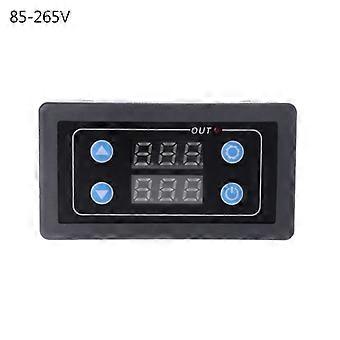
12V/AC110V/220V Anti-restart LED Digital for Time Delay Switch Timer Control Relay Switch Delay Trigger Relay Switch Multicolor

26,95 €
spedizione GRATUITA

12V/AC110V/220V Anti-restart LED Digital for Time Delay Switch Timer Control Relay Switch Delay Trigger Relay Switch Multicolor

  • Marchio: Unbranded
Venduto da:

12V/AC110V/220V Anti-restart LED Digital for Time Delay Switch Timer Control Relay Switch Delay Trigger Relay Switch Multicolor

  • Marchio: Unbranded

26,95 €

Disponibile
spedizione GRATUITA

Politica di reso a 14 giorni

Venduto da:

26,95 €

Disponibile
spedizione GRATUITA

Politica di reso a 14 giorni

Accettiamo i seguenti metodi di pagamento

Descrizione

12V/AC110V/220V Anti-restart LED Digital for Time Delay Switch Timer Control Relay Switch Delay Trigger Relay Switch Multicolor

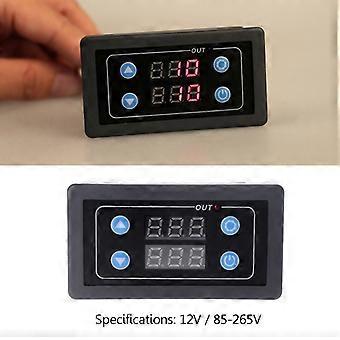
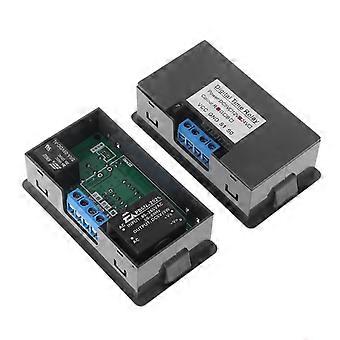
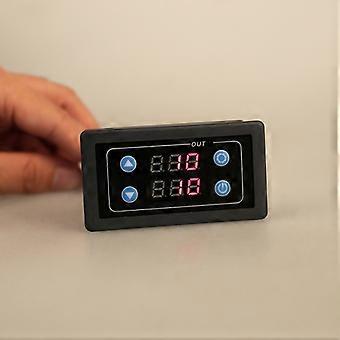
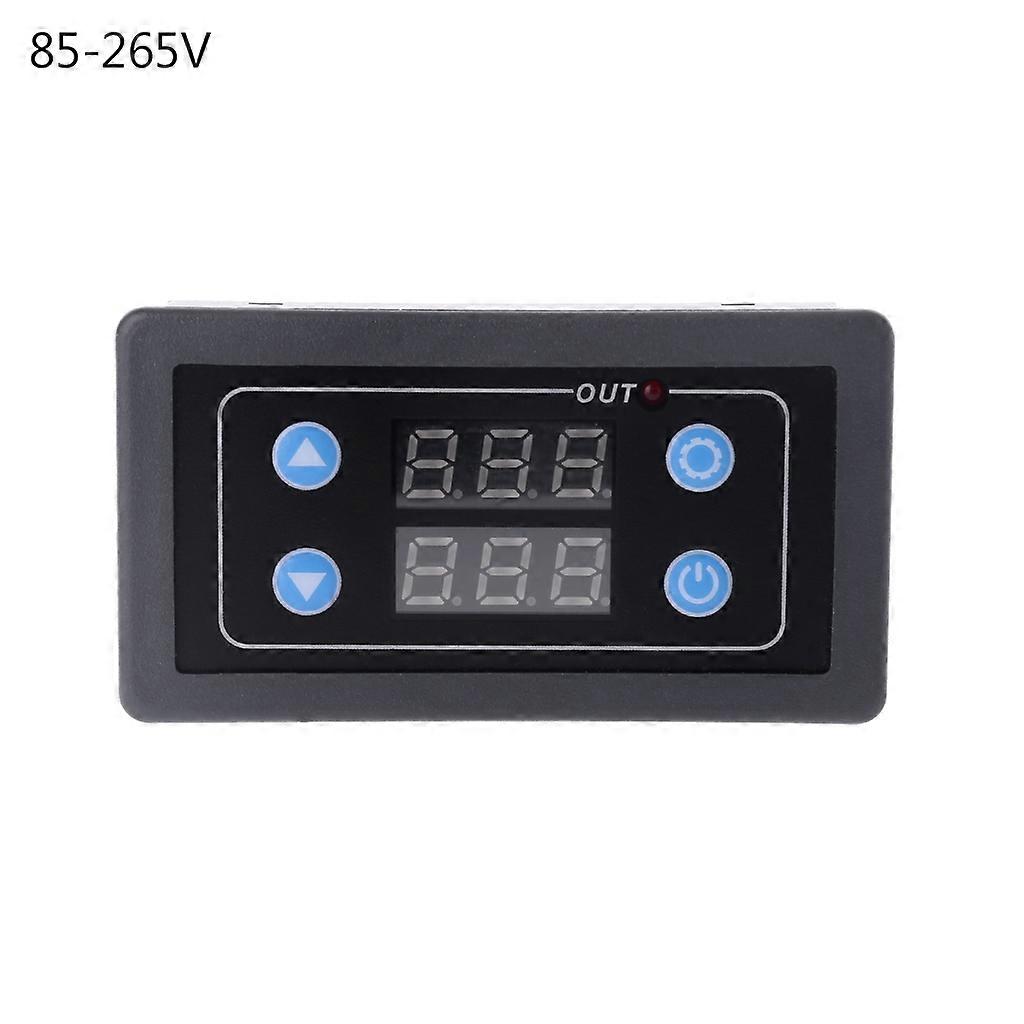
["DC12V AC220V/85-265V Digital Display for Time Relay Module Timer Cycle Control Relay Module\r\nbrand new and high quality\r\n\r\nFeatures:\r\nTiming range: 0-999ms, 0-999s, 0-999m, 0-999h \r\nPower supply voltage: DC12V, AC85-265V (110V 220V)\r\nStatic power: <0.6W\r\nPower: <2000W(maximum) \r\nWorking current: 10A(maximum) \r\nDimensions: 71x39x25mm/2.8x1.54x0.98inch\r\nColor: Black\r\nQuantity: 1 Pc\r\nNote: 1.for DC and AC wiring are the same, the positive pole corresponds to the live line, and the negative pole corresponds to the neutral line.\r\n 2.Please allow 0-1cm error due to manual measurement. pls make sure you do not mind before you bid.\r\n 3.Due to the difference between different monitors, the picture may not reflect the actual color of the item. Thank you!\r\n\r\nPackage includes:\r\n1 x for Time Delay Relay Module\r\n\r\n\r\n\r\n---------------------------------\r\nProduct use instructions:\r\nThis product has four function keys: increase button, decrease button, set button, confirm button\r\nAfter the user gets the product, first understand the function buttons of the product, which is beneficial to the customer's next use.\r\n\r\nfor Time setting: Short press the setting button, the T1 digital tube will flash. During the flashing period, the timing for time T1 is set by adding or subtracting the button. After setting, press the setting button again, the T2 digital tube will flash, and the button will be added or subtracted during the flashing. Set the timing for time T2. There are two ways to save data after setting. The first can wait for 6s, the digital tube stops flashing, the system automatically saves the setting for time, and the second can press the setting button again to save the data.\r\n\r\nParameter setting: Press and hold the setting button to enter the parameter setting mode. There are three sets of parameters for the user to set P0, P1, P2.\r\nP0: Timed range, P1: Operating mode, P2: Display brightness adjustment. P0, P1, P2 can be switched by short pressing the setting button. Under the corresponding parameters, the corresponding parameters can be set by adding or subtracting by pressing the button.\r\nP0--0 represents a timing range of 0.1 seconds.\r\nP0--1 represents the timing range is seconds.\r\nP0--2 represents the timing range is a fraction.\r\nP0--3 represents the timing range is for time.\r\nP1--0: Relay delay after T1 for time (T1 timing).\r\nP1--1: The relay is released after the delay of T1 for time (T1 timing).\r\nP1--2: After the delay for time T1, the relay is closed (T1 timing), and then the relay is released after T2 for time (T2 timing), and ends.\r\nP1--3: The relay is released after the delay for time T1 (T1 timing), and then the relay is closed after the T2 for time (T2 timing), and ends.\r\nP1--4: After the delay for time T1, the relay is closed (T1 timing), and then the relay is released after T2 for time (T2 timing), and the cycle is repeated.\r\nP1--5: The relay is released after the delay for time T1 (T1 timing), and then the relay is closed after the T2 for time (T2 timing), and the cycle is repeated.\r\nP2--0 to P2--5 are display brightness adjustments that the user can set based on comfort.\r\nP2--OFF: Low power mode, the user sets P2 to OFF mode, the system will automatically turn off the display after 10s, enter the low power mode, press any button to wake up.\r\n\r\nThe confirmation button has two major functions:\r\nFunction 1: After all the parameter settings are completed, press the Enter for key to save the setting data and start working. Pressing the ENTER button again during operation will implement the pause function, the relay will be disconnected, and the button will be restored again.\r\nFunction 2: Trigger function again. After the timer finishes working normally, it needs to work again. Short press the confirmation button to re-time.\r\n\r\nFor example: For example, a customer needs to turn on the machine for 10 seconds, shut down for 20 seconds, and cycle. The setting method is as follows:\r\n T1 sets for time 10, T2 sets for time 20\r\nP0-1 (T1 timing range is seconds)\r\n P1—5 (the timer working mode is to stop and cycle all the for time after working)"]
  • ID Fruugo: 442254671-928518156
  • EAN: 7912000589795

Consegne e Resi

Spedito entro 24 ore

  • STANDARD: GRATIS - Consegna tra ven 26 dicembre 2025–mer 31 dicembre 2025 - GRATIS

Spedizione da Cina.

Facciamo del nostro meglio per assicurare che i prodotti che ordini vengano consegnati integralmente e secondo le tue indicazioni. Tuttavia, nel caso dovessi ricevere un ordine incompleto, oppure articoli differenti rispetto a quelli che hai ordinato, o se c'è qualche altro motivo per il quale non sei soddisfatto dell'ordine, puoi effettuare il reso dell'ordine, o qualsiasi prodotto incluso nell'ordine e ricevere un rimborso completo per gli articoli. Visualizza la politica di reso completa

Dettagli sulla conformità del prodotto

Si prega di consultare le informazioni di conformità specifiche per questo prodotto descritte di seguito.

Le seguenti informazioni sono fornite dal rivenditore terzo indipendente che vende questo prodotto.

Produttore:
Le seguenti informazioni sono i dati di contatto del produttore del prodotto rilevante venduto su Fruugo.

  • Shenzhen Xudikou Network Technology Co., Ltd.
  • Shenzhen Xudikou Network Technology Co., Ltd.
  • 1017B, No. 2 Nanhuan Road,Yulu Community,Yutang Street
  • Shenzhen
  • China
  • 518000
  • vh1qfnrdqoe@163.com
  • 18818900735

Persona responsabile nell'UE:
Le seguenti informazioni sono informazioni dei contatto della persona responsabile nell'UE. La persona responsabile è l'operatore economico designato con sede nell'UE, responsabile degli obblighi di conformità relativi al prodotto in questione venduto nell'Unione Europea.

  • Yating He
  • E-CrossStu GmbH
  • 69 Mainzer Landstrasse
  • Frankfurt am Main
  • Germany
  • 60329
  • E-crossstu@web.de
  • +4969332967674